How to download iCloud photos to your PC and keep the original date
If you've tried to move your photos from iCloud to a Windows PC, you've probably hit the same wall thousands of people do: every photo lands with today's date instead of the day you actually took it. Your whole timeline collapses into one day, HEIC photos won't open, and iPhone videos refuse to play. This guide explains exactly why that happens and shows you the fastest, safest way to download all your iCloud pictures while keeping their original dates.
Why iCloud downloads get the wrong date
When you download photos from iCloud.com or copy them off another way, Windows records the download time as the file's "Date modified" and "Date created". Apps like Windows Photos and Google Photos sort by that file date, so even though the real capture date is still tucked inside the photo's EXIF metadata, your library appears to have been shot entirely today.
To keep your timeline intact, the original date has to be written back into both the photo's metadata and the Windows file date, in your correct local timezone, so a July photo reads as July and a December photo as December. Doing that by hand for thousands of files is impossible, which is exactly the problem this app solves.
The fastest way, and it keeps every date automatically
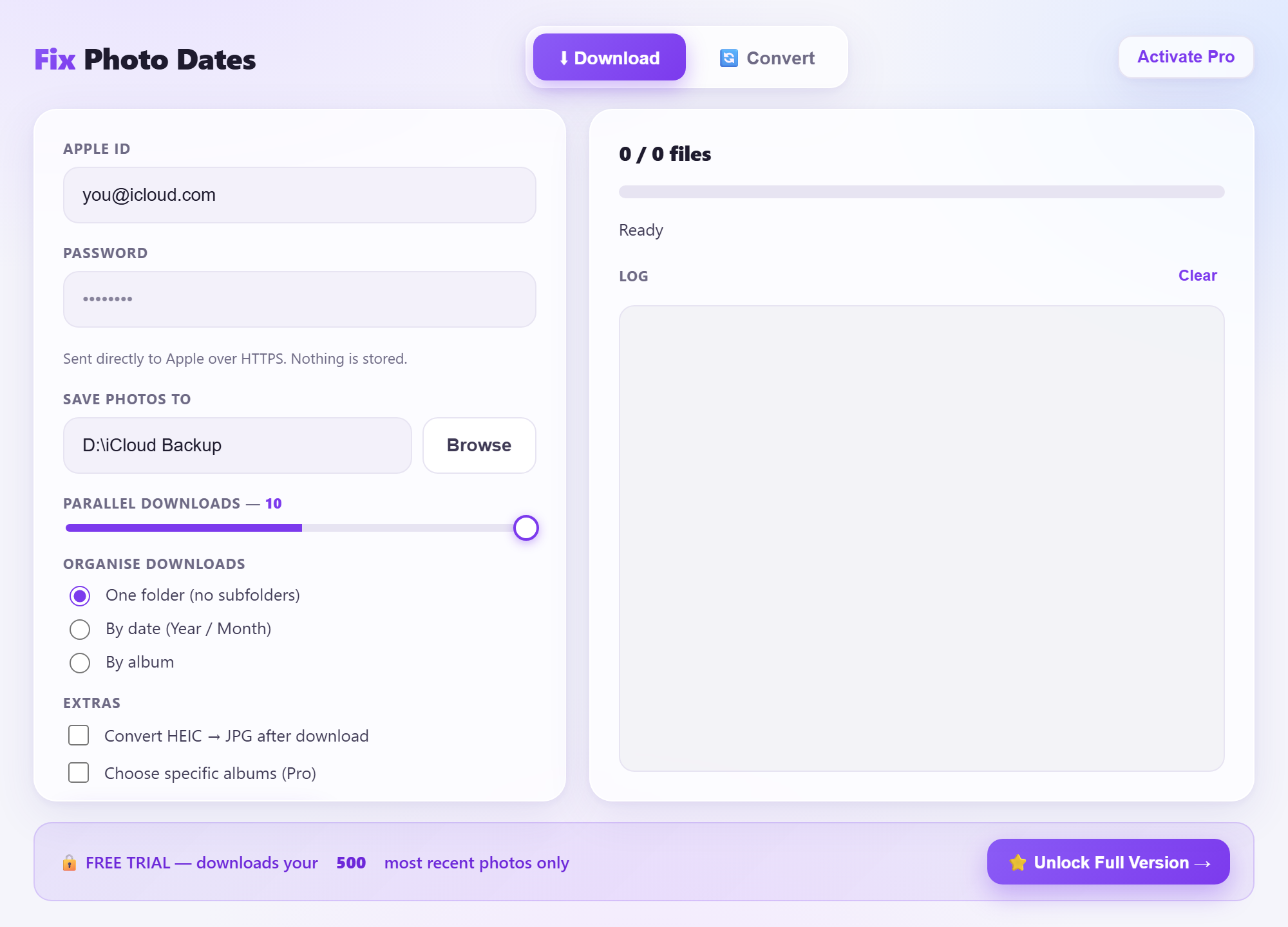
Fix Photo Dates is a small Windows app that signs into iCloud, downloads every photo and video, and writes the exact original date, time and timezone to each file as it goes. It also converts HEIC→JPG and MOV→MP4 so everything opens. There's a free trial for your 500 most recent photos.
Get your photos with the right dates
Free trial · Windows 10/11 · runs entirely on your PC.
⬇ Download Fix Photo DatesStep-by-step: download iCloud photos with the original date
- Open the app. Download Fix Photo Dates and run it. No Python, codecs or extra installs needed.
- Sign in to iCloud. Enter your Apple ID and the 6-digit two-factor code from your iPhone. Your login goes straight to Apple over HTTPS; nothing is stored.
- Choose where to save. Pick a folder; an external SSD or hard drive is ideal for a large library. Optionally sort into Year/Month or by album.
- Start the download. Every photo and video is saved with its original capture date, time and timezone written to the file. Watch the live progress, speed and ETA.
- Done. Open the folder in Windows Photos: your timeline is intact, exactly as it was on your iPhone.
Opening HEIC photos and MOV videos on Windows
Modern iPhones save photos as HEIC and videos as HEVC, neither of which Windows opens without extra (sometimes paid) codecs. Fix Photo Dates converts HEIC to high-quality JPG (or lossless PNG) and re-encodes videos to H.264 MP4 that plays on any Windows PC, keeping the correct dates on the converted files too.
The manual methods (and why they lose dates)
iCloud.com download
You can select photos on iCloud.com and download them, but they arrive with the download date, in HEIC, and you're limited to selecting in batches. Painful for a large library and your dates are wrong.
Windows iCloud app
Apple's iCloud for Windows syncs photos but is notorious for missing files, wrong dates, and HEIC files Windows can't open. Many people end up here looking for a fix.
Bottom line: the manual routes either lose your dates or your file formats. A purpose-built tool fixes both in one pass.
Where to store a big photo library
A full iCloud library is often 100 GB or more. Keep it safe and off your system drive:
Frequently asked questions
Why do my iCloud photos show the wrong date?
Windows stamps downloaded files with the download date, not the capture date. The real date is still in the EXIF metadata; it just needs writing back to the file date, which Fix Photo Dates does automatically.
How do I keep the original date when downloading?
Use a tool that writes the original capture date to both the metadata and the Windows file date in your local timezone. That's exactly what this app does for every file.
Is it safe to enter my Apple ID?
Yes. The app connects directly to Apple over encrypted HTTPS. There's no middle-man server; your credentials and photos never reach us.
Is it free?
The trial downloads your 500 most recent photos free. Pro unlocks your entire library for a one-time €9.99.
As an Amazon Associate we earn from qualifying purchases. Not affiliated with Apple Inc.