Save all your iCloud photos to your PC, with the right dates.
Apple exports your library with today's date, scrambling your timeline. Fix Photo Dates downloads every photo and video from iCloud to your Windows PC or external hard drive with the exact original date, time, and timezone. It also converts HEIC to JPG and MOV to MP4 so everything just opens.
Free trial saves your 500 most recent photos · How to use it → · Windows 10/11 · runs on your PC.
☆☆☆☆☆ –/5 reviews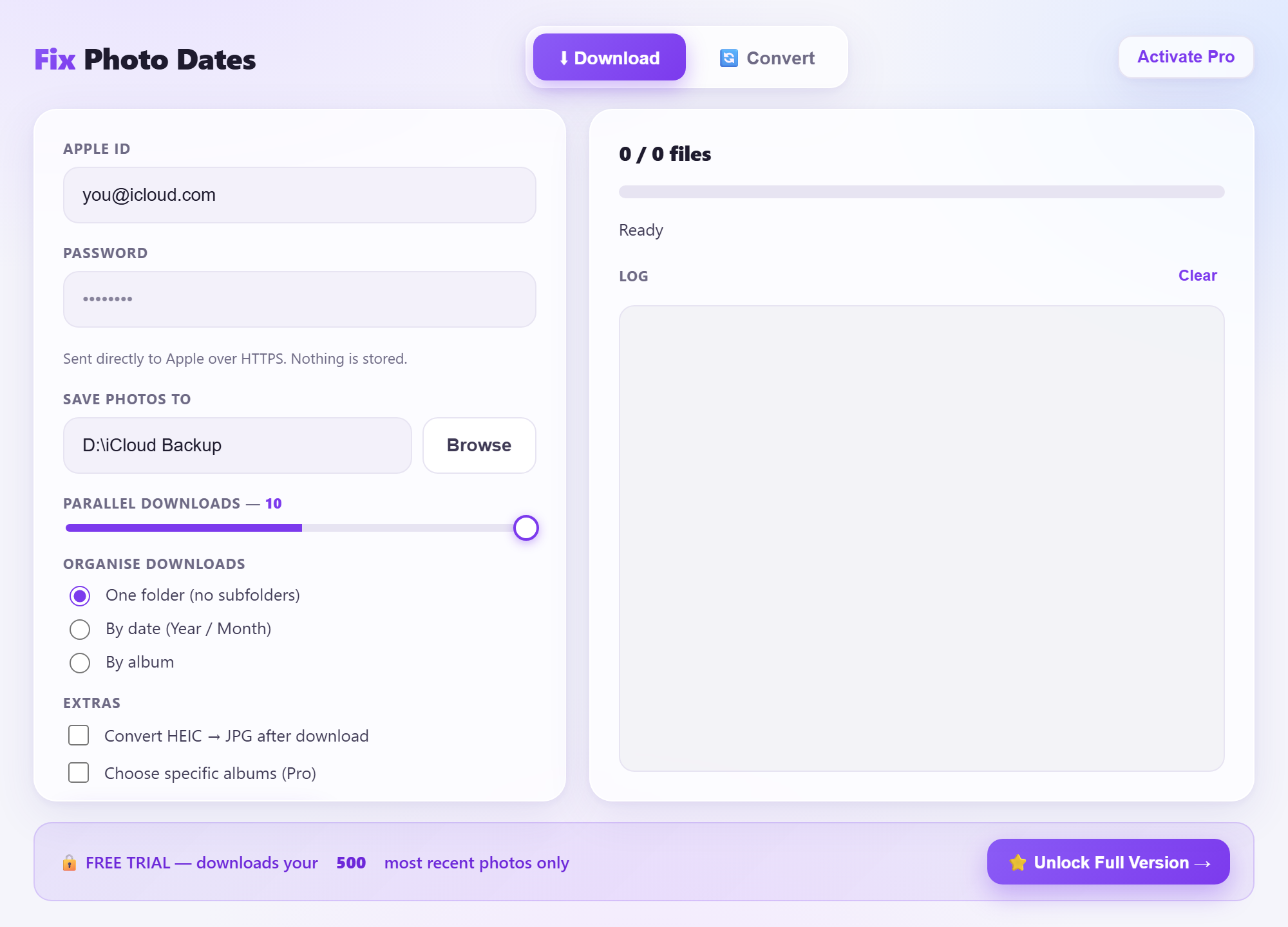
Everything your photos need
Correct dates & time
Writes the real capture date to EXIF and the file system, with the right local timezone (CET/CEST aware). Your timeline stays intact in Windows Photos and Google Photos.
HEIC → JPG
iPhone HEIC photos that Windows won't open are converted to high-quality JPG (or lossless PNG), keeping their dates.
MOV → MP4
iPhone HEVC videos re-encoded to H.264 MP4 that plays on every Windows PC. No paid codecs needed.
Organise automatically
Keep one folder, or sort into Year/Month or by album as it downloads.
Fast & resumable
Parallel downloads with live speed and ETA. Re-run any time; it skips what you already have.
Private by design
Your Apple ID goes straight to Apple over HTTPS. No middle-man server, nothing stored.
Three steps
- 1Sign in
Enter your Apple ID and the 2FA code from your iPhone.
- 2Pick a folder
Choose where on your PC (or an external drive) to save everything.
- 3Download
Watch it pull every photo and video with the correct dates. Done.
Simple pricing
Pro
- Your entire library, unlimited
- 3-pass date accuracy
- Choose specific albums
- Free updates
One-time purchase, no subscription. 14-day money-back guarantee.
Reviews
Fix Photo Dates is new, so instead of star ratings you can't verify, here's a promise you can: try the free trial on your own photos first, and if Pro doesn't do exactly what it says, get a full refund within 14 days.
Recommended gear for your photo backup
A big photo library needs somewhere to live. These are the drives and accessories we recommend.
Internal HDD 1 TB
Cheap starter storage to drop inside a desktop PC.
View on Amazon →Internal HDD 2 TB
More room for a growing photo & video library.
View on Amazon →Internal HDD 4 TB
Big archive space, the best value per terabyte.
View on Amazon →Internal SSD
Fast, silent storage that fits inside any PC.
View on Amazon →External HDD
Plug and play, no need to open your computer.
View on Amazon →Questions
Is my Apple password safe?
Yes. The app sends your login directly to Apple over an encrypted HTTPS connection. There is no Fix Photo Dates server; nothing is stored or sent anywhere else.
Will the dates really be correct?
Yes. It writes the original capture date and time to both the photo's metadata and the Windows file date, in your correct local timezone.
What about HEIC and MOV files?
It can convert HEIC photos to JPG and MOV/HEVC videos to H.264 MP4 so they open in any Windows app.
Do I need to pay for the trial?
No. The free trial downloads your 500 most recent photos. Pro unlocks your entire library.